Single Import
This option allows the user to import a single dataset into the SACS Web System from the user’s financial software for data entry, review, and approval. The user must select a dataset with the same fiscal year as the Fiscal Year selected in the Fiscal Year menu.
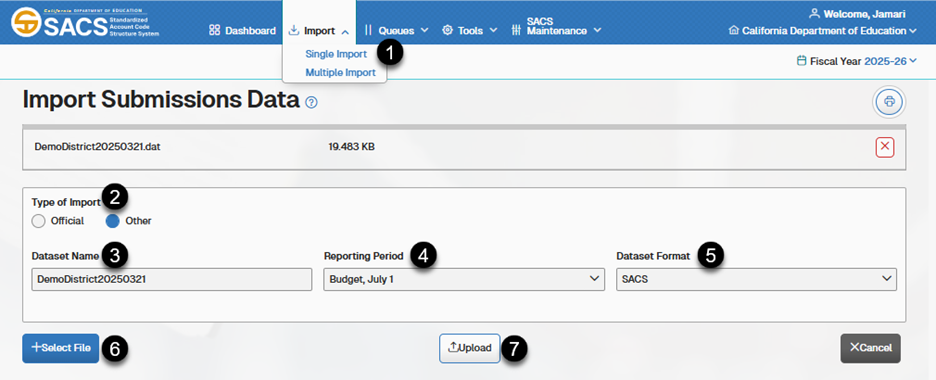
- Select the Single Import option on the Import menu
- Select either Official or Other as the Type of Import.
- Enter a name for the dataset in the Dataset Name textbox.
- Select the reporting period from the Reporting Period drop-down list box.
- Select SACS or Charter Alternative as the Dataset Format from the drop-down list.
- Click the + Select File button to locate and select a dataset to import.
- Click the Upload button to complete the import process.
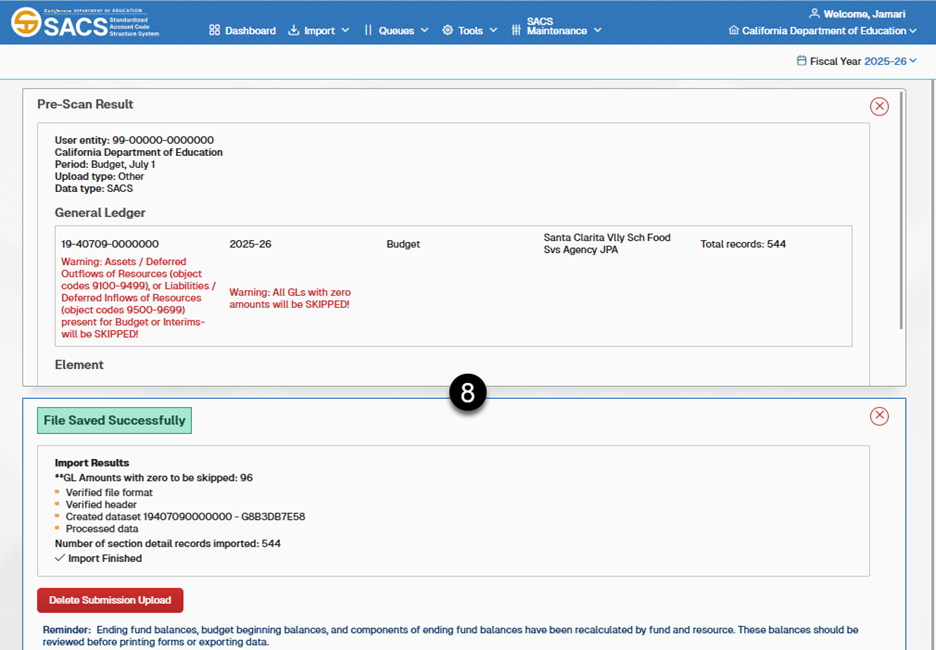
Note: When the import process ends, the system displays the import result log at the top of the page.